
What a Petaluma Resident Lookup Can Establish
Each record type answers a different identity question. A parcel roll can tie a person to an ownership or tax role where the assessor releases that field. A court docket ties a name to a case. A vital record can confirm an event, subject to eligibility rules. A business filing or professional license confirms a public affiliation, and keeping these roles apart is what keeps the lookup honest.
| Record | What It Confirms | Where to Search | Access |
|---|---|---|---|
| Parcel or assessment record | APN, situs, assessee, mailing, and available characteristics | Sonoma CRA and Property Hub | Map, office, or request; owner name may be omitted online |
| Recorded instrument | Party role, recording date, document number, and legal description | Sonoma Official Records | Free index; images and copies separate |
| Superior Court case | Case number, type, parties, events, hearings, and disposition | Sonoma Odyssey and Records | Public nonconfidential material; fees for copies |
| Vital record | Birth, death, public marriage, or divorce record details | Sonoma Clerk-Recorder or CDPH | Authorized, informational, or restricted by record type |
| Business or license record | Entity role, license status, agent, or public discipline | California SOS and DCA | Free search; result fields vary |
Start with the source that fits the clue. An old surname belongs in a recorder search. Directories, obituaries, and court indexes catch surname changes too, while a known parcel belongs in the county property rolls and the deed index. Family events go to vital records; school and club clues lead to yearbooks, newspapers, and the History Room before any current record is tried.
Petaluma Court Records Search Fields
The Sonoma Superior Court case portal branches into Civil and Family Law and Criminal services. Smart Search is the core tool. It takes a case number or a name. The case number is the most reliable key. Party and business names also work, and Advanced Filtering Options expose case status, date filed, case type, and branch-specific search controls; Search runs the query and Reset clears it.
| Smart Search | Required text field for a case number or party or business name. |
|---|---|
| Advanced Filtering | Optional expandable controls for status, dates, and case type. |
| Search Type | Branch-dependent party, case, or citation mode. |
| Date Filed | Optional from and to dates for separating same-name results. |
| Typical result | Case number and style, type, filing date, status, parties, judge or department, events, hearings, and disposition. |
A docket entry does not guarantee a document image. Confidential identifiers stay suppressed. Sealed material stays hidden too, so compare role, middle name, case type, date, and address clues before treating a case as the right person in a Petaluma resident lookup.
- Case number and style
- The court's identifier and caption, which anchor later copy or counter requests.
- Type, filing date, and status
- The branch and date fields that separate similar names and show whether a matter is open or disposed where displayed.
- Parties and roles
- Names and roles such as plaintiff, defendant, petitioner, respondent, or business party.
- Events, hearings, and disposition
- Register-of-actions dates, hearing entries, and the outcome or last public event, with confidential material suppressed.
The Sonoma Superior Court Odyssey case portal is the official starting point. For copies, the court's records and copy-request guidance covers the counter and document path. Federal matters belong in PACER, not the county portal.
Same Names Need Petaluma Anchors
Search the recorder with exact spellings, prior surnames, initials, compound names, spouse names, trusts, estates, and likely OCR variants. Sonoma describes its index as a library-card catalog. The county itself recommends spelling-variant searches. A same-name hit earns weight when its recording date, party role, legal description, business, or address matches a second source.
Court results call for comparing case type, role, filing date, hearing history, and disposition. Directory hits need spouse, occupation, street, and neighboring entries. License hits need profession, city, status, and issue date. Never treat a shared name as a shared identity without at least two independent anchors.
Record positive and negative searches alike. A missing result can mean a coverage gap, a protected record, an alternate spelling, an unlisted person, or a custodian split. It never proves someone did not live in Petaluma.
Petaluma Vital Records Access Classes
California has no one rule for vital records. Access turns on record type and eligibility. There is no single age that unlocks every file, and Sonoma County is the first practical custodian for county events, with the California Department of Public Health as the statewide route. Authorized certified copies go to eligible people. Informational copies circulate more broadly for some records but carry a statement that they cannot establish identity, and confidential marriage records go only to a party or by court order.
| Record | Current fee listed | Access point | Important limit |
|---|---|---|---|
| Birth | $31 | Sonoma or CDPH | Authorized eligibility and notarized sworn statement rules apply |
| Death | $26 | Sonoma or CDPH | Informational copy may be available; failed-search fee is retained |
| Public marriage | $19 | Sonoma or CDPH | Confidential marriage is limited to parties or court order |
| Divorce record | $18 CDPH certificate | Sonoma Superior Court for the file | CDPH certificate is not the full judgment |
Sonoma County's vital-statistics service is the practical first stop for a county event. CDPH publishes a 4 to 6 week processing estimate. The state notes a county office may be faster. Request forms VS111, VS112, and VS113A ask for names, dates, place, relationship or eligibility, copy type, signature, and a sworn statement or notarization as required. Statewide registration begins in July 1905. Earlier events call for county registers, archives, churches, newspapers, or historical indexes.
Verify One Petaluma Resident Step by Step
A good lookup moves from name to proof. The goal is narrow. Confirm the specific fact a record can support, date it, cross-check it against a second source, and note the gaps that remain rather than collecting every mention of a name in Petaluma.
- Write the known name, prior surname, approximate age or year, spouse, business, school, and possible address without filling unknown fields by guesswork.
- Use CRA or the parcel map to test an address and preserve the APN; remember that owner information may be absent from the public Internet layer.
- Search Odyssey by party or business name and narrow with case type, status, and filing date; compare party role and case style.
- Use a vital index or eligible copy to confirm the event, then compare the names at birth, place, spouse, or parent fields.
- Save the document number, case number, page image, form date, or edition citation and verify any important fact with the custodian.
- Docket
- A case's chronological record of filings, hearings, orders, and other events.
- Index versus image
- An index summarizes or points to a record; the image or certified copy is the underlying document.
- Certified copy
- A copy issued or attested by the custodian for a use that requires official certification.
Petaluma Voter Status Is Self Verification
California's My Voter Status asks for a registered spelling, date of birth, and an identity credential or the last four Social Security digits as prompted. It returns the voter's own registration status, party, districts, and election details. It is not a public name or street lookup. Elections Code section 2194 limits broader use. File access is restricted to election, scholarly, journalistic, political, or governmental purposes, with specified identifiers withheld.
Qualified voter-file requests use a detailed application. It asks for the requester, beneficiary or organization, physical and mailing addresses, contact information, scope, geography, purpose, security acknowledgements, signature, and payment. The statewide file costs $100. Regulation runs $15 per 1,000 names with stated minimum and maximum, and a specific voter costs $30, subject to the published rules. A request for one named voter cannot be used to pull unidentified people on a Petaluma street.
The self-check confirms one identity: the voter using it. It produces no public list of Petaluma voters. Ballot choices stay private. Used honestly, the tool is a quick identity confirmation, and the limits in section 2194 keep the statewide file from doubling as a Petaluma residents directory.
Petaluma Probate and Adoption Clues
Probate paper ties people together in ways few other records can. One file may hold a case number, a petition, public notices, a personal representative, named heirs, and a deed or affidavit. Start by requesting the case from Sonoma Superior Court. Then confirm the decedent with a death record or an authoritative obituary before going further.
Some limits apply. Family, adoption, juvenile, and sealed-case rules can close parts of a file, and a public probate notice is a dated clue rather than an invitation to publish anyone's contact details. For a birth-parent or adoptee question, the California Department of Social Services runs a consent-based Adoption Information program. A standard Petaluma residents directory search is not a route around sealed adoption records. Hunting a former classmate instead? Try a Petaluma High, Casa Grande, Kenilworth, Petaluma Junior, or St. Vincent's yearbook first, then dated newspapers, city directories, and public memorial material.
One caution on affiliations. A name in a club, school, church, chamber, or business record proves an affiliation for that date only, not a home address or current presence.
Petaluma Business and License Records
State filings are the fastest way to anchor a business identity. The California bizfile business search lets you query by entity name or number. Filters cover entity type, status, and initial filing date. Results can include the entity number, jurisdiction, status, addresses, agent, and filings. Free PDFs often come with them. Check Statements of Information whenever a person may serve as an officer, manager, member, or agent. Sonoma fictitious-business-name records and the City of Petaluma business-license portal round out the local picture.
Licensed professions have their own registries. The California Department of Consumer Affairs search accepts board or license type. It also takes number, business, name, and location fields as applicable. What you get depends on the profession. It may show status, issue or expiration dates, an address, and public discipline. Treat any address as a role in a public filing. It connects an identity to a business record. It does not claim a residence in Petaluma.
For the entity-search example below, the California bizfile business search is the official source page.
Note: The business-search result illustrates the entity route, and every document still needs a date and role check.
Petaluma Professional Records Need a Date
A second official anchor helps. The California DCA license search confirms identity whenever a public license exists. A State Bar search can show admission, status, contact, and public discipline. CSLB, ABC, CTC, and other board systems each add their own fields. Licenses lapse, though. A license may be current, expired, surrendered, or tied to a business rather than a home. Save the result date every time.
Name changes and public roles often surface in naturalization, probate, court, and business records too. The Sonoma County Library's History and Genealogy Library and archives keep indexes for court, naturalization, vital, probate, cemetery, and local-history material. Request a bounded lookup. Bring the name variants and date range you have already tested.
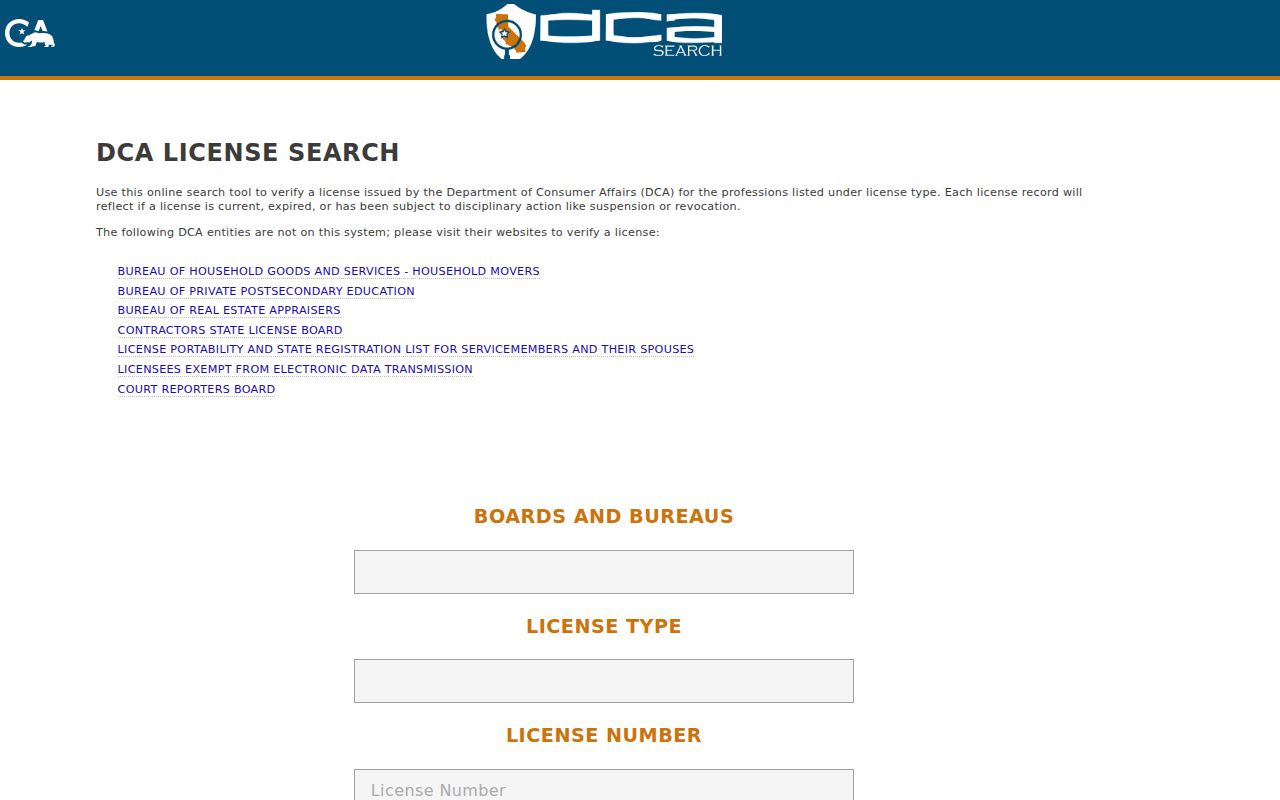
A dated state record can separate two people who share a name. It stays an affiliation record, though, not a full resident profile.
Petaluma Custody and Registry Records
Custody and registry systems answer narrow questions. The Sonoma Sheriff maintains a current inmate search, and CDCR's incarcerated-person locator covers state custody. California's Megan's Law registry is a separate registry with its own legal-use warnings. These systems change over time. They may reflect accusations or custody status rather than a final outcome, and should be checked directly when status matters. They are not general residents directories for Petaluma.
Local police records work differently. Petaluma Police records requests use a report number. They also use a date and time, location, and parties when available. Active investigations, victim data, juvenile records, medical material, and confidential information may be redacted. DOJ criminal-history records are not public at all. A person requests their own fingerprint-based record review.
The Sonoma Sheriff inmate search is the official page behind the current-custody example below.
The sheriff search is a current-custody channel with its own warnings. It should never be used to infer a person's home, family, or character.
Legal Limits on a Petaluma Resident Lookup
California's Public Records Act covers existing nonexempt writings. But specific laws govern voter files, DMV information, vital copies, adoption material, juvenile records, sealed cases, and Safe at Home addresses. The Safe at Home program substitutes a mailing address and confidentially registers a qualified participant. Its own guidance notes it cannot erase information that was already public.
For commercial data-broker requests, use the California Attorney General's CCPA guidance. You can also use the Delete Act DROP process. The State Controller's ClaimIt search is the official starting point for a separate unclaimed-property lead. These tools address a private compiler's copy or a state-held property claim. They cannot delete a deed, court record, or other government record from its custodian. To correct a mistaken record, contact the office that created or holds it.
Lawful use. A Petaluma resident lookup is for personal, lawful research, genealogy, reconnecting, civic understanding, and safety awareness. Do not use a name or record to stalk, harass, threaten, or intimidate any person.